

The dispatcher sits in a weird spot. They're not the estimator, so they're not supposed to be pricing jobs or scoping electrical loads. But they're the first human who touches a complex job, and whatever they capture—or miss—in those first two minutes decides whether the truck shows up ready or pulls up to a wall of surprises.
Most complex-site failures don't start on the job. They start on the intake call, when a dispatcher writes "panel issue, commercial, call back for details" and moves on. By the time the tech is standing in a mechanical room at a 40-year-old strip mall, nobody knows the panel is a discontinued Federal Pacific, the ceiling is 18 feet, and the only access point is through a tenant that closes at 2pm.
This is a flow for dispatchers specifically. Not a scoping sheet. A fast triage that pre-stages parts, catches red flags early, and tells the dispatcher when to pull in a subcontractor or hold the job back entirely. The whole thing should take about two minutes on the phone.
Why dispatchers can't use the estimator's checklist
Estimators have time. They can drive out, measure, pull load calcs, and think. A dispatcher has a caller on the line who's already a little impatient, three other lines ringing, and maybe 90 seconds before things get awkward.
So when shops hand dispatchers a 40-line scoping form, one of two things happens. Either the dispatcher skips most of it and you get garbage intake, or they slow the call way down trying to be thorough and the caller feels interrogated. Neither works.
-
Change what parts go on the truck
-
Change who should go (tech skill, crew size, or sub)
-
Change whether you take the job at all right now
Everything else is estimator territory. If it doesn't affect staging, staffing, or go/no-go, it doesn't belong in the two-minute flow.
The two-minute dispatcher flow
The sequence below matters—it moves from "is this even a complex site" to "what do I stage" to "do I need backup."
Never miss a job or delay a dispatch again.
Voltzly helps you schedule, assign, and track every electrical job efficiently.
- Unified job scheduling
- Real-time technician tracking
- Automated client notifications
No credit card required
1. Classify the site in 15 seconds
First question out of the gate: What kind of building and how old?
You're listening for the stuff that predicts trouble. Commercial multi-tenant, older residential (pre-1970), anything industrial, anything with "we've had a few electricians look at it." That last phrase is a tell—it usually means the job is either genuinely hard or the customer is difficult. Either way, it's not a simple dispatch.
2. Trigger the photo request immediately
Before you get into details, ask for photos. Not after the call—during it, or within a few minutes by text. The three shots that actually matter for staging:
-
The panel, door open, close enough to read the breaker labels and the manufacturer
-
A wide shot showing the panel's surroundings (clearance, mounting, what's around it)
-
Whatever the customer says is broken, plus the ceiling or access path if it's overhead work
That's it. Three photos. Dispatchers who ask for "some pictures" get a blurry close-up of a light switch. Dispatchers who ask for specific shots get usable intel. The deeper version of this is in the photo-first remote site validation checklist—but for the dispatcher, three targeted photos does most of the work.
One pattern worth flagging: if the customer can't or won't send photos, your complexity risk just went up. Not because they're hiding something—usually it means nobody on site can easily access the panel area, which is itself a staging problem.
3. Run the red-flag triggers
While you've got them on the phone, you're mentally running through a short list. Any one of these changes the dispatch.
| Red flag | What it tells the dispatcher | Action |
|---|---|---|
| Federal Pacific / Zinsco / Pushmatic panel | Discontinued, likely full replacement, breakers hard to source | Flag for estimator; do NOT promise same-day fix |
| Aluminum branch wiring (pre-1975 home) | Scope balloons fast, special connectors needed | Stage AlumiConn/CopAlum, longer time block |
| "It sparked / smells like burning / keeps tripping" | Possible active hazard | Prioritize scheduling, stage safety-first, confirm power can be killed |
| Ceilings over ~12 ft or no attic access | Needs lift or extra labor | Confirm equipment, maybe 2-tech crew |
| Multi-tenant / shared panel room | Access and coordination risk | Confirm who has the key and the hours |
| Three-phase on a "residential-sounding" call | Caller misjudged complexity | Reclassify, pull in senior tech |
The point of this table isn't to make the dispatcher an electrician. It's to make them a filter. They don't diagnose the aluminum wiring—they just hear "1972 house, outlets getting warm" and know to flag it and stage the connectors.
4. Apply the parts-staging rules
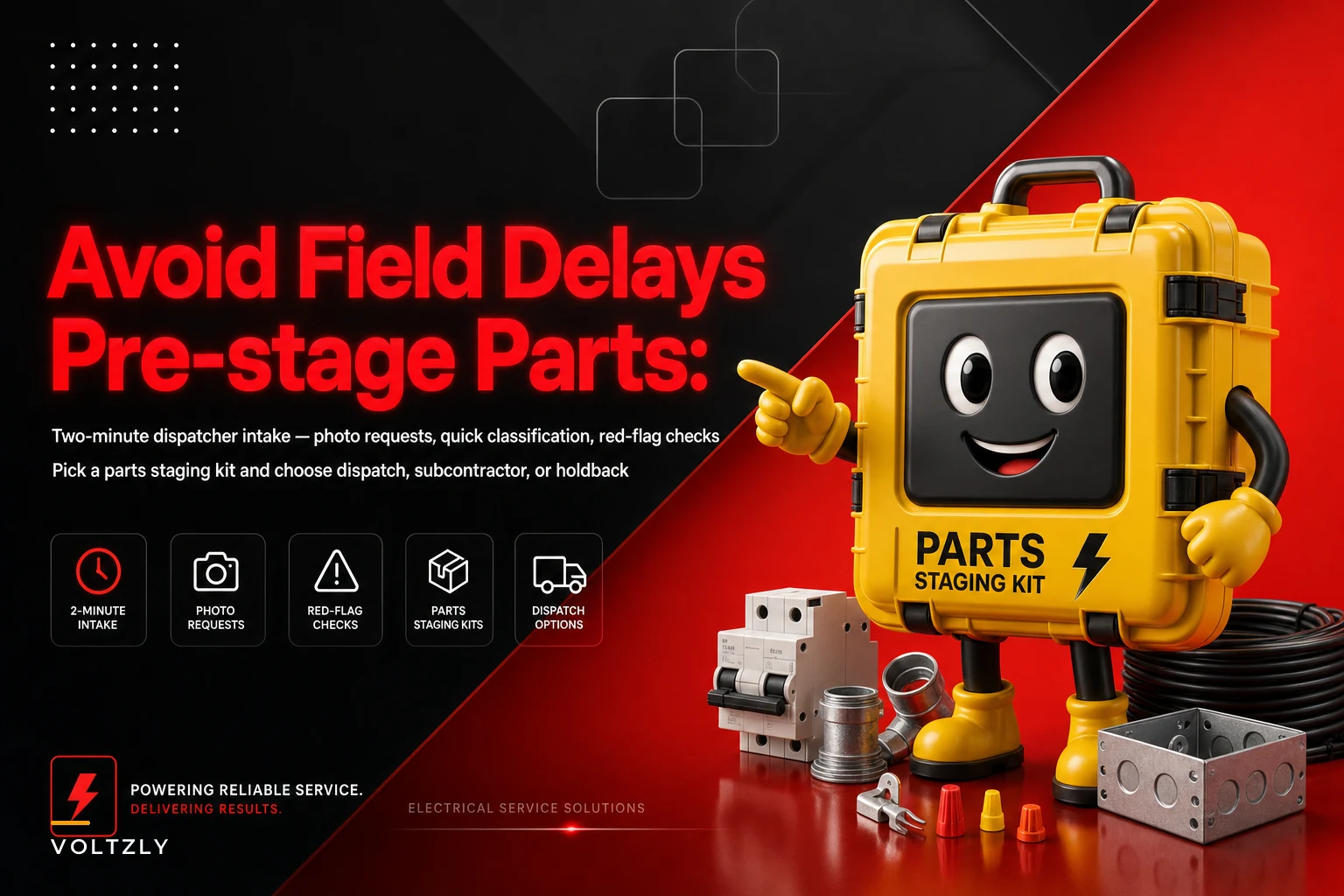
This is where the whole flow pays off. Based on the classification, photos, and red flags, the dispatcher pulls from a small set of pre-built staging kits instead of guessing part by part.
The thing most shops miss: don't stage by part, stage by scenario. Dispatchers can't be expected to know that a specific panel needs a specific breaker. But they can absolutely learn "older commercial panel photo → pull the commercial retrofit kit."
-
Discontinued panel confirmed in photo → stage a loaded sub-panel + breaker assortment + reconnect hardware, and block a longer window. Don't send the truck with a single breaker hoping it clips in.
-
Warm outlets / aluminum wiring house → stage the aluminum pigtail kit and extra wire nuts rated for it. Running out of connectors mid-job on aluminum is a classic callback.
-
Overhead commercial, high ceiling → confirm the lift is loaded before the truck leaves, not discovered at 7am when everyone's already on site.
-
"Breaker keeps tripping, nothing obvious" → stage diagnostic tools first, parts second. Half these turn into troubleshooting jobs, not replacements.
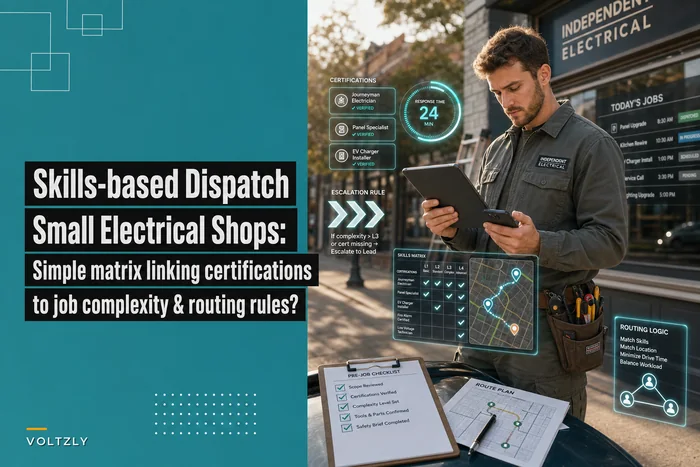
For van-level inventory logic that feeds these kits, the skills-based dispatch matrix pairs well here—because staging the right parts is pointless if you send a tech who can't do the work.
5. Decide the fallback: subcontractor or holdback
Last step. The dispatcher decides whether the job can go as a normal dispatch, needs a sub, or needs to be held.
-
Normal dispatch – classified, photos in, no unresolved red flags, parts stageable.
-
Subcontractor – the red flag points to work outside your crew's skill or licensing (fire alarm tie-in, three-phase you don't touch, utility coordination). Flag it so the estimator lines up the sub before a date is promised to the customer.
-
Holdback – something is missing or the risk is high enough that scheduling now means showing up blind. No photos and a discontinued-panel situation? Hold. Active hazard that needs the utility to pull the meter? Hold and route to the estimator same day.
A holdback isn't losing the job. It's refusing to burn a truck roll on a job that was never ready to begin with.
Visual: the two-minute dispatcher flow at a glance.
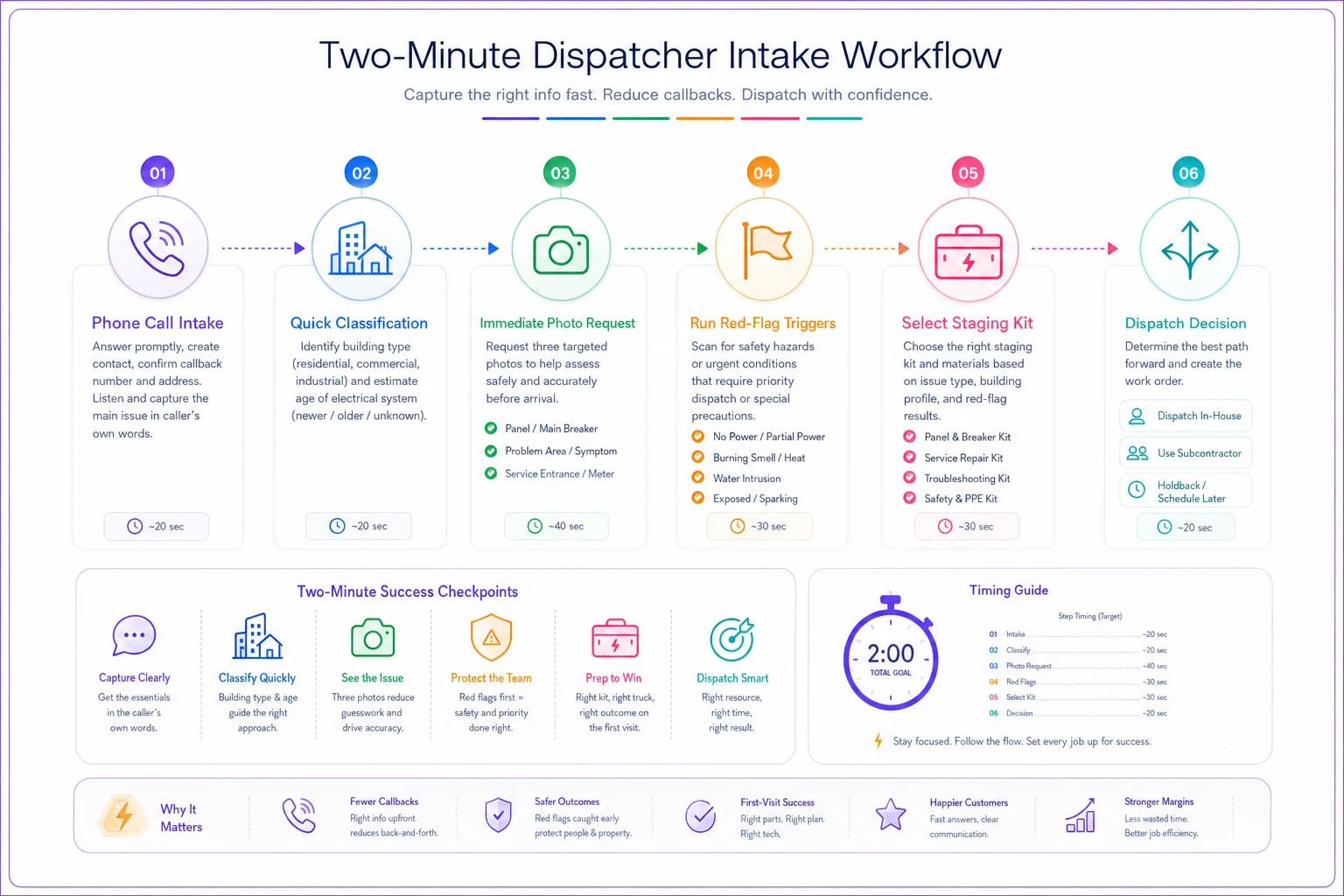
This shows the high-level steps a dispatcher runs in about two minutes.
A real scenario: the strip-mall panel that would've eaten a day
A small commercial shop—four trucks—got a call: "Half our units lost power, need someone today." Classic urgent intake. The old flow would've dispatched the next available tech with a standard van.
Instead, the dispatcher ran the two-minute flow. Site classified as multi-tenant commercial, building roughly 1980s. Photo request went out by text. The panel shot came back showing a discontinued manufacturer and a panel that was clearly maxed out. Two red flags immediately: discontinued panel, multi-tenant access.
Because of that, the dispatcher didn't promise a same-day fix. They staged the commercial retrofit kit, confirmed the property manager had after-hours access—the tenant closed at 2—and flagged it for the estimator to confirm scope before anyone got on a truck. The tech showed up to a job that was already understood.
The before-and-after was telling. On a similar job the prior quarter—no photos, no staging—the crew burned most of a day diagnosing, drove back to the supply house twice, and had to reschedule because the access window closed on them. Call it 7 or 8 hours of drag and an annoyed customer. The staged version wrapped the initial work in roughly half that, with one supply run instead of three. Across a month of complex calls, that difference in wasted truck time added up to real money the shop was simply no longer losing.
Where this quietly breaks down
Dispatchers won't use a table they have to go find. If the red-flag list lives in a binder or a shared drive nobody opens, it dies in a week. It has to be in the intake screen, right next to where they're typing. Shops running this well have the triggers and staging kits built into their dispatch tool—so when the dispatcher tags "discontinued panel," the staging kit and the longer time block attach automatically instead of relying on someone remembering.
The photo request gets dropped under pressure. On a busy morning, "I'll send pics" turns into nothing. A simple auto-text that fires the moment a complex job is tagged—with the three exact shots requested—fixes most of this. The dispatcher doesn't have to remember; the system nudges the customer directly.
Put the red-flag triggers and photo-request auto-text into the intake screen so the dispatcher doesn't have to remember them.
Staging kits drift out of date. Suppliers discontinue things, trucks run dry, kits get raided for other jobs. Review the kit contents monthly or they slowly become fiction.
When this flow makes sense (and when it doesn't)
Use it when: you run a mix of simple and complex work, you've got non-technical people answering phones, and you're getting burned by trucks arriving unprepared. That's exactly the gap it's built for.
Skip it when: you're a one-person shop who answers your own phone and scopes everything yourself. You are the checklist. Adding a formal flow just slows you down.
Be careful if: your dispatchers have zero trade exposure and high turnover. The flow still works, but keep the red-flag triggers extremely concrete—"1970s house, warm outlets" rather than "potential aluminum wiring concern." Plain language survives staff turnover. Jargon doesn't.
The dispatcher's pocket checklist
Print this. Tape it near the phone or pin it in the intake screen.
-
- [ ] Building type + rough age captured
-
- [ ] Three photos requested (panel open, wide shot, problem area/access)
-
- [ ] Panel manufacturer checked against discontinued list
-
- [ ] Any hazard language flagged ("sparked," "burning," "keeps tripping")
-
- [ ] Access/clearance/ceiling-height risk noted
-
- [ ] Multi-tenant? Access window and key-holder confirmed
-
- [ ] Matched to a staging kit (not individual parts)
-
- [ ] Fallback decided
dispatch / sub / holdback
-
- [ ] If holdback, routed to estimator same day
The whole thing is meant to run in about two minutes while the caller is still on the line. If it's taking ten, you've turned it back into an estimator's form—pull it back.
The dispatcher doesn't need to be an electrician. They need to be a good filter: classify fast, get the three photos, catch the handful of red flags that change staging or staffing, and know when to hold a job instead of sending a truck to find out the hard way.
Complex sites don't go sideways because the techs are bad. They go sideways because the job was never set up to succeed—and that setup lives in the first two minutes of the call, with the person everyone tends to overlook is actually running the whole operation.
Ready to optimize your electrical service operations?
Join 500+ electrical service companies using Voltzly to improve scheduling accuracy, enhance client satisfaction, and boost operational efficiency.