

Most electrical contractors who open a second office think they're repeating what worked. They aren't. The first office succeeded because the owner was physically present, caught problems before they got expensive, and held the standard in their head. The second office has none of that. What the owner carried as instinct now has to live in templates, gates, and shared systems — or the second office quietly runs as a different company with your name on the truck.
That's the real challenge with trying to scale multi-office electrical contractors. It isn't a sales problem or even a hiring problem. It's a replication problem. You're trying to copy something that was never written down, run by people who weren't there when it was invented, in a market that behaves slightly differently than your home turf.
This article walks through how the whole system holds together — and the specific seams where it tears when you grow past a single location.
Why the second office breaks the first one's logic
In a single-office shop, almost everything is informal because it can be. The dispatcher knows which techs are reliable for commercial panel work. Procurement happens because the owner knows the supplier rep by name. Payroll runs because there are twelve people and the office manager knows all of them. Standards exist, but they live as relationships and memory.
The moment you add a second location 40 minutes away, that informal network stops working at the new site and starts creating drag at the old one. A typical pattern: the home office keeps absorbing problems from the branch — approving quotes, chasing parts, fielding payroll questions — because the branch doesn't have the same muscle memory yet. Six months in, the owner is working harder than before the branch opened, and the branch is still underperforming.
Operators who scale well tend to stop trying to clone the people and start cloning the decisions. They ask: what decisions get made at each site, who's allowed to make them, and what information do they need? That framing is what turns a lucky second office into a repeatable third and fourth.
If you haven't already mapped where your single shop sits in terms of process maturity, that's worth doing before anything else — the operational maturity roadmap for small electrical contractors covers the baseline you need before any of this replication logic works. You can't copy a process that doesn't exist yet.
The three things that must be identical across offices (and the things that shouldn't)
A common mistake is assuming everything should be standardized. That's how you end up with a branch manager who can't adapt to a local permit office, or a pricing sheet that's wrong for a market with different labor costs. The skill is knowing what's a standard and what's a local setting.
Never miss a job or delay a dispatch again.
Voltzly helps you schedule, assign, and track every electrical job efficiently.
- Unified job scheduling
- Real-time technician tracking
- Automated client notifications
No credit card required
Here's the split that tends to hold up:
| Must be identical across offices | Should flex by location |
|---|---|
| Role definitions and who approves what | Base labor rates and pricing tiers |
| Quality standards and photo/QA requirements | Supplier mix and local vendor relationships |
| Safety and compliance procedures | Marketing channels and lead sources |
| Job documentation and naming conventions | Crew size and territory shape |
| Margin floors and escalation thresholds | Scheduling cadence by local demand |
| Customer communication standards | Permit workflows (vary by jurisdiction) |
The left column is your brand and your risk profile. If a branch drops its photo-QA standard, you don't find out until callbacks and insurance disputes start showing up on a P&L you're reviewing three weeks later. The right column is where you want local judgment, because forcing a one-size pricing model across different markets either leaves money on the table or prices you out.
Standardize the things that protect margin and reputation. Localize the things that respond to the market. Operators who get this backwards — rigid on pricing, loose on quality — are the ones whose brand means something different depending on which truck shows up.
Role templates: the actual unit of replication
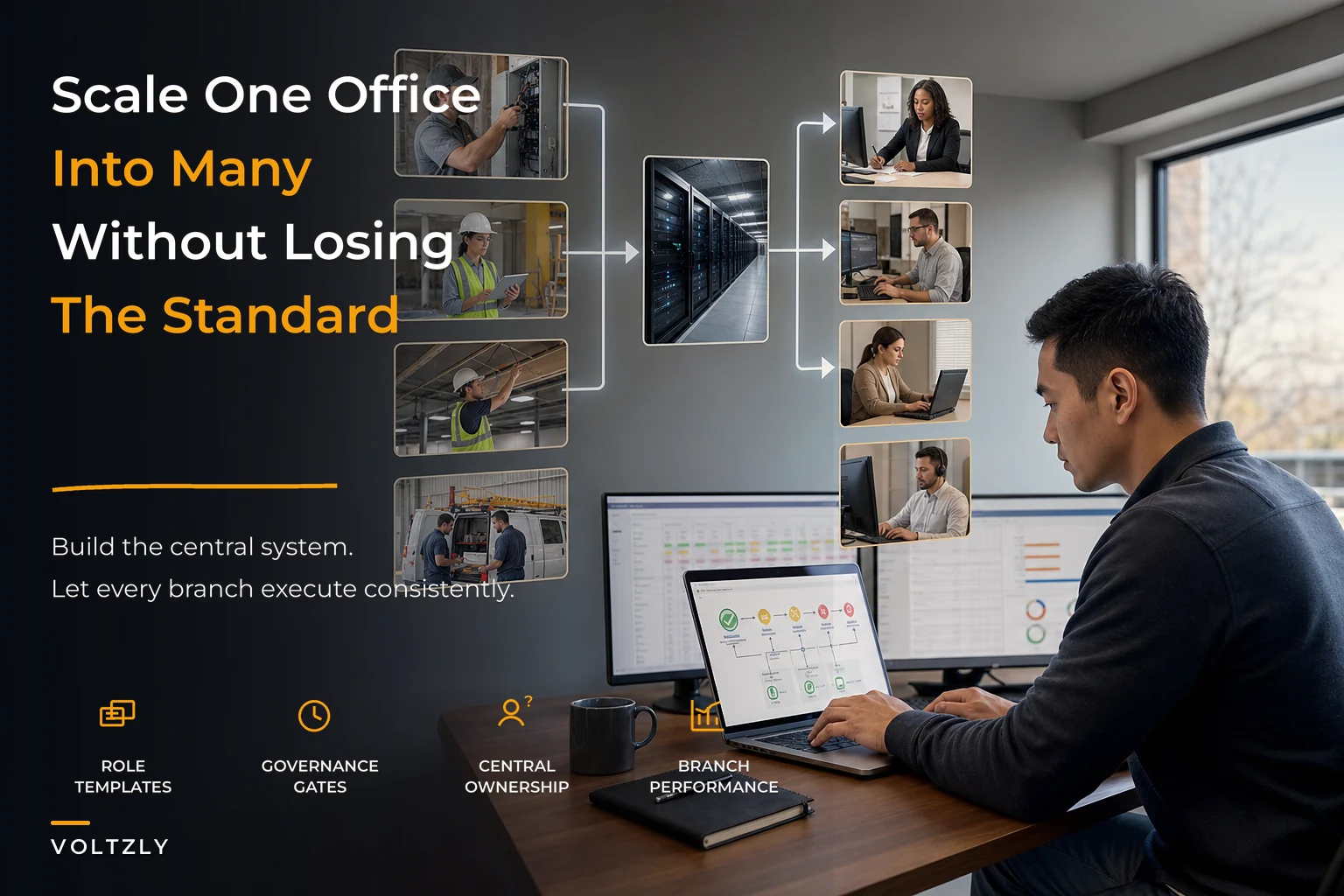
When you scale, you're not opening "offices." You're instantiating a set of roles. Get the role template right and a new office is mostly a staffing exercise. Get it wrong and every office becomes a custom build.
A workable role template for a small branch (6–12 field staff) usually looks like:
-
Branch lead / operations manager — owns daily dispatch, local P&L awareness, and first-line escalation. This is the person who used to be you at the home office.
-
Dispatcher / coordinator — runs scheduling, parts pre-staging, and customer comms. In a smaller branch this can be combined with the branch lead role, but only up to a point.
-
Lead technicians — carry the quality standard in the field and mentor apprentices. These are your standard-bearers; they matter more than the branch lead for actual work quality.
-
Field technicians and apprentices — the capacity layer.
-
Shared service connections — procurement, payroll, and finance that report into a central function, not the branch.
The non-obvious insight: the branch lead role is the single hardest hire and the one most owners get wrong. They promote a great technician into it, and now they've lost a field standard-bearer and gained a mediocre manager. A branch lead needs to be comfortable with numbers, people, and saying no to customers — a completely different skill set. Build the role definition around decisions and accountability, not around who's available.
Tie pay to the role and the capacity math, so the structure travels cleanly from office to office.
One more thing that trips people up: compensation has to match the role template, not local negotiation. If your branch lead in office two makes 20% more than your equivalent in office one because they pushed harder in the interview, you've planted a resentment bomb that goes off the moment people compare notes. Tie pay to the role and the capacity math, as covered in aligning pay with capacity and staffing math, so the structure travels cleanly from office to office.
Governance gates: where standards actually get enforced
Templates describe the intended state. Governance gates are what keep the actual state from drifting. A gate is simply a checkpoint where work can't proceed until a condition is met — and the key to multi-office governance is that gates must be enforced by the system or a central function, not by the branch policing itself. A branch will always be tempted to wave its own work through to hit schedule.
-
Quote approval gate — anything below your margin floor, or above a dollar threshold, needs central or senior sign-off. This stops a hungry new branch from buying market share with your margin.
-
Job documentation gate — a job can't be marked complete (and therefore can't be invoiced) until the required photos and closeout data are attached. This is how quality standards survive being 40 minutes away from the owner.
-
Hiring gate — new roles get filled against the template and approved headcount, not because a branch lead "needs more hands." Uncontrolled branch hiring is one of the fastest ways to wreck consolidated margins.
-
Procurement gate — purchases above a threshold route through central procurement, not a local counter account the owner never sees.
-
Escalation gate — defined red-flag conditions (safety, scope creep, unhappy commercial client) must escalate to a named person within a set window.
The failure mode across growing shops is that these gates exist on paper but depend on a person remembering to apply them. At one office, with the owner nearby, that works. At three offices, it doesn't — enforcement is only as consistent as the least-attentive branch lead on their worst week.
This is where a shared operational platform earns its keep, not as a buzzword but as a practical enforcement layer.
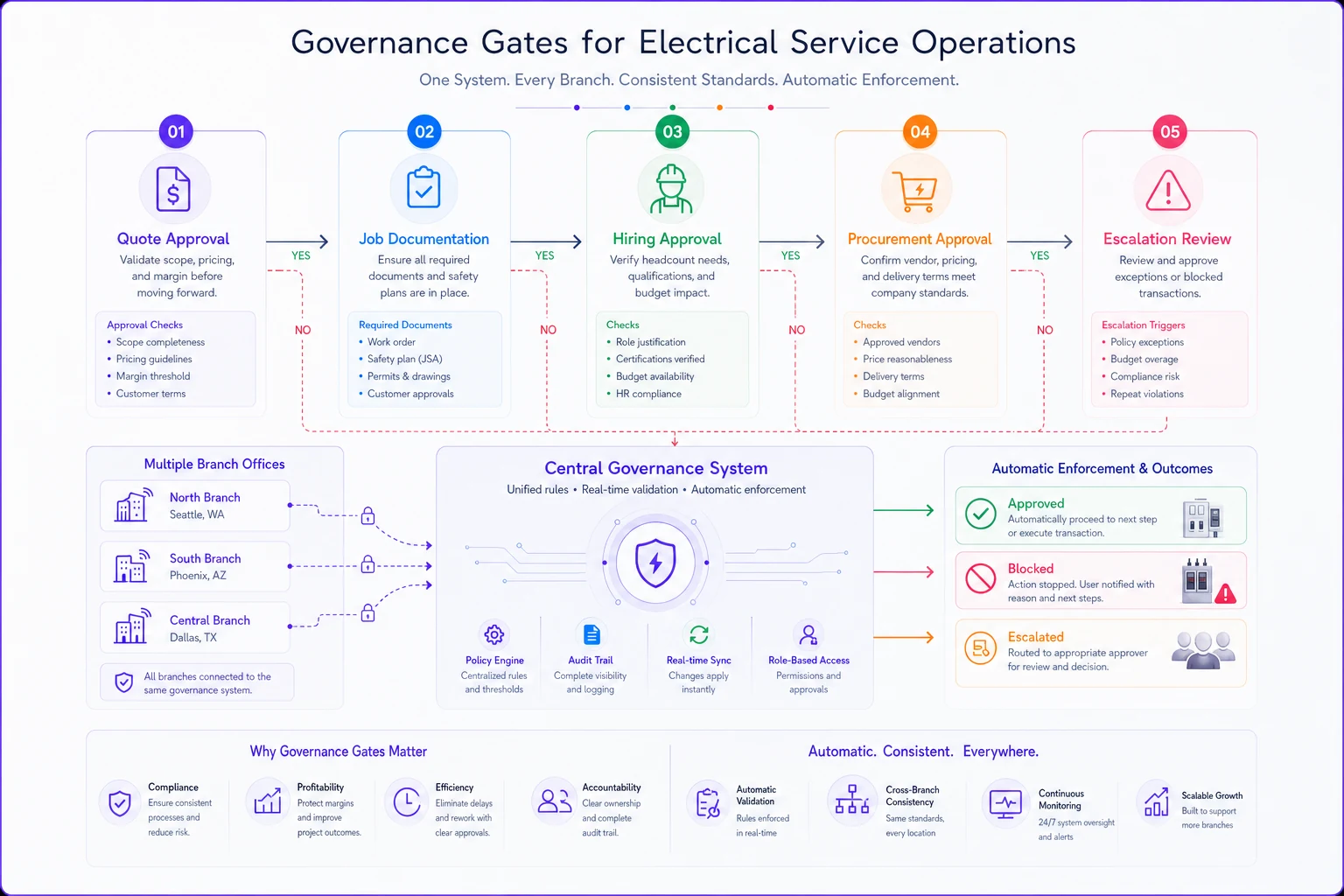
When the quote approval threshold, the documentation requirement, and the invoice trigger all live in one system that every office uses, the gate is enforced automatically rather than depending on discipline. A quote below margin gets flagged. A job can't move to "invoice" without its photos. That consistency is the whole point — the standard is in the workflow, not in someone's head.
Centralizing procurement and payroll (and why branches hate it at first)
The instinct of a new branch is to run its own supplier accounts and its own payroll relationships because it's faster. And in the first month, it is faster. But decentralized procurement is where margin quietly leaks across a chain.
The mechanic is straightforward: each branch negotiates its own pricing, which means none of them has the volume to negotiate well. Three offices buying separately might each get standard contractor pricing, when consolidated they'd clear the next rebate tier. A realistic picture — three branches each spending roughly $18k–$25k a month on materials are, combined, a mid-six-figure annual account. No single supplier rep is treating that as a priority because they only see three small accounts.
Centralized procurement fixes two things at once: it captures volume pricing, and it enforces the SKU and vendor standards that keep quality consistent. The branch still requisitions what it needs; it just does so through an approved catalog and vendor set rather than freelancing.
Payroll is the same logic for a different reason. Decentralized payroll creates compliance exposure — different offices classifying overtime differently, inconsistent apprentice pay rules — and makes consolidated labor-cost visibility nearly impossible. When payroll runs centrally, you can actually see cost-per-tech across offices and spot the branch whose labor is drifting before it eats the quarter.
When centralizing makes sense: once you have a second office that's past its launch phase. Before that, the overhead isn't justified.
When it's a bad idea to rush: if your home-office processes are still chaotic. Centralizing a mess just distributes the mess. Fix the process at one site, then centralize.
Who should NOT centralize everything: a chain where offices serve genuinely different markets — one heavy commercial, one residential service. Those may need different supplier mixes and pay structures. Centralize the controls and visibility, not necessarily the catalog.
Tech choices tuned for small chains
The tooling trap for small chains is one of two extremes. Either every office runs its own stack of spreadsheets and a cheap scheduling app with no shared visibility, or the owner buys enterprise field-service software built for 200-truck operations and the branches drown in complexity nobody actually uses.
For a chain of two to seven offices, the practical requirements are narrower than vendors make them sound:
-
One shared source of truth for jobs, customers, and documentation across all offices — so the home office sees branch work in real time, not in a monthly report.
-
Role-based permissions that match your role template, so a dispatcher sees scheduling but not margin floors, and a branch lead sees their P&L but not another branch's.
-
Enforced workflow gates, as described above, baked into the job lifecycle.
-
Consolidated reporting that rolls up all offices and lets you compare them side by side.
-
Low field friction — if techs won't use it on their phone between jobs, your documentation standard collapses regardless of how good the back office is.
The side-by-side comparison across offices is the underrated feature. When you can see that branch two has a callback rate twice branch one's, or that branch three's job documentation is incomplete 30% of the time, you're managing by evidence instead of by whichever branch lead calls you most. That comparison is only possible when every office logs work the same way in the same system.
Worth naming: once your data is consistent across offices, modern platforms can surface the patterns for you — flagging the branch drifting below margin, or the office whose parts spend is climbing faster than its revenue — without you building reports by hand. That's automation doing something genuinely useful: watching the seams between offices that no single person has time to track.
A real scenario: from one office to three
A residential and light-commercial electrical shop ran a single office with about 14 staff and clean numbers — healthy net margins, low callbacks, the owner across every quote above a few thousand dollars.
They opened a second office in a neighboring county, then a third within 18 months. By the time the third opened, consolidated net margin had slipped several points. The branches were underpricing to win work, callbacks at the newest office were running noticeably higher than the home office, and the owner was spending most of the week driving between locations firefighting.
The fix wasn't dramatic. Over roughly a quarter, they did three things: wrote actual role templates with decision authority spelled out (which exposed that both branch leads had been quietly approving quotes they shouldn't have), moved procurement and payroll to central functions, and put all three offices on one shared system with a margin-floor approval gate and a mandatory documentation-before-invoice gate.
The results showed up within two quarters. Consolidated margin recovered most of what it had lost. Callbacks at the newest office dropped toward the home-office rate once documentation and QA were actually enforced. The owner's windshield time fell significantly — not because problems disappeared, but because they now surfaced as flags in a system instead of as phone calls after they'd already cost money.
The thing worth noting: no single change did it. The role templates without the gates would have been ignored. The gates without the shared system would have depended on memory. The shared system without clear roles would have just been expensive software sitting there. The combination is the playbook.
A short checklist before you open the next office
Run through this honestly before committing to the next location:
-
[ ] Are your home-office processes documented well enough that someone who wasn't there could follow them?
-
[ ] Do you have a role template with decision authority defined for each position?
-
[ ] Is there a realistic branch-lead candidate — someone strong on numbers and people, not just a great tech?
-
[ ] Are your quality, safety, and documentation standards enforceable through a gate, not just a policy?
-
[ ] Can procurement be centralized, or at least standardized to an approved catalog and vendor set?
-
[ ] Will payroll run centrally so you keep consolidated labor visibility?
-
[ ] Do you have one system where you can see all offices side by side?
-
[ ] Have you worked out the territory and capacity math so the new office isn't cannibalizing the old one?
That last point matters more than most owners expect — opening too close can split demand rather than grow it. The capacity and territory logic in scaling field teams without coverage gaps is worth working through before you sign a lease, because a second office in the wrong spot divides your existing team instead of expanding your reach.
Where this usually goes wrong
The chains that struggle almost always made the same category of error: they scaled the revenue ambition faster than the operational capacity to replicate standards. A new office can start booking work in week one. It takes months to build the role depth, enforce the gates, and get consistent documentation. That gap — between "we're taking jobs" and "we can run this office to standard" — is where margin and reputation quietly erode.
The second common failure is the owner never letting go of the home-office instinct. They keep approving everything, keep being the escalation point for every branch, keep procurement in their own head. The business scales in locations but not in leverage, and the owner becomes the bottleneck for all three offices instead of one. Replication means transferring your judgment into templates, gates, and systems — so decisions get made correctly without you in the room.
Scaling to multiple offices isn't about being in more places. It's about building a machine that makes the same quality decision whether you're standing in the branch or 40 miles away. Get the role templates, governance gates, centralized procurement and payroll, and shared tooling working together, and the next office stops being a gamble and starts being a process you can run again — and again after that.
Ready to optimize your electrical service operations?
Join 500+ electrical service companies using Voltzly to improve scheduling accuracy, enhance client satisfaction, and boost operational efficiency.